
Fragmented sources
Codex and Claude expose useful information differently, with different terminology and levels of detail.

A local macOS menu-bar utility I designed and built in 2026 to bring Codex and Claude usage into one glanceable view. The working prototype uses Electron, React, and TypeScript.
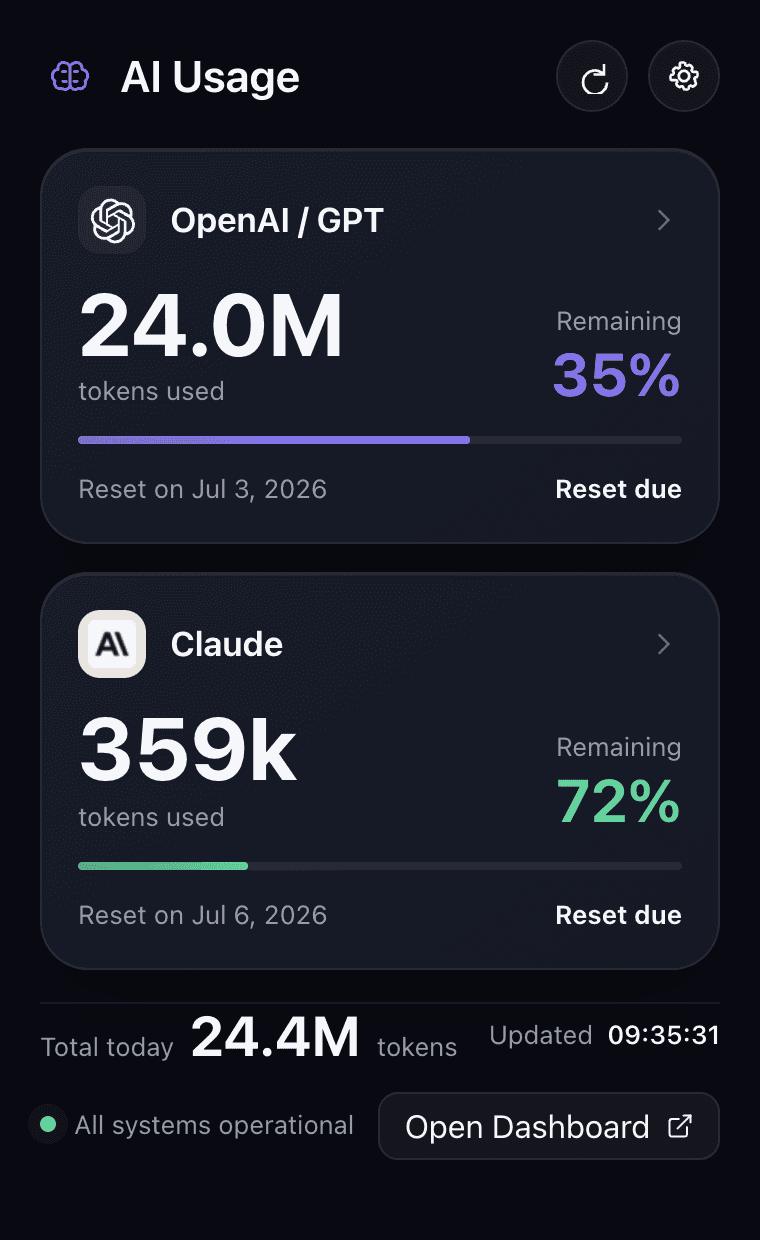
I wanted to know how much AI capacity remained without opening provider websites, searching terminal output, or interrupting the task in front of me. The product question became simple: can the answer live in the menu bar and take less than two seconds to understand?
Codex and Claude expose useful information differently, with different terminology and levels of detail.
A quick status check becomes a context switch when it requires another website, terminal command, or dashboard.
Users need to see the source, freshness, connection state, and reset timing—not just a large token number.
The default view answers the immediate question. Provider detail is available when the number needs context, without turning the product into a permanent dashboard.
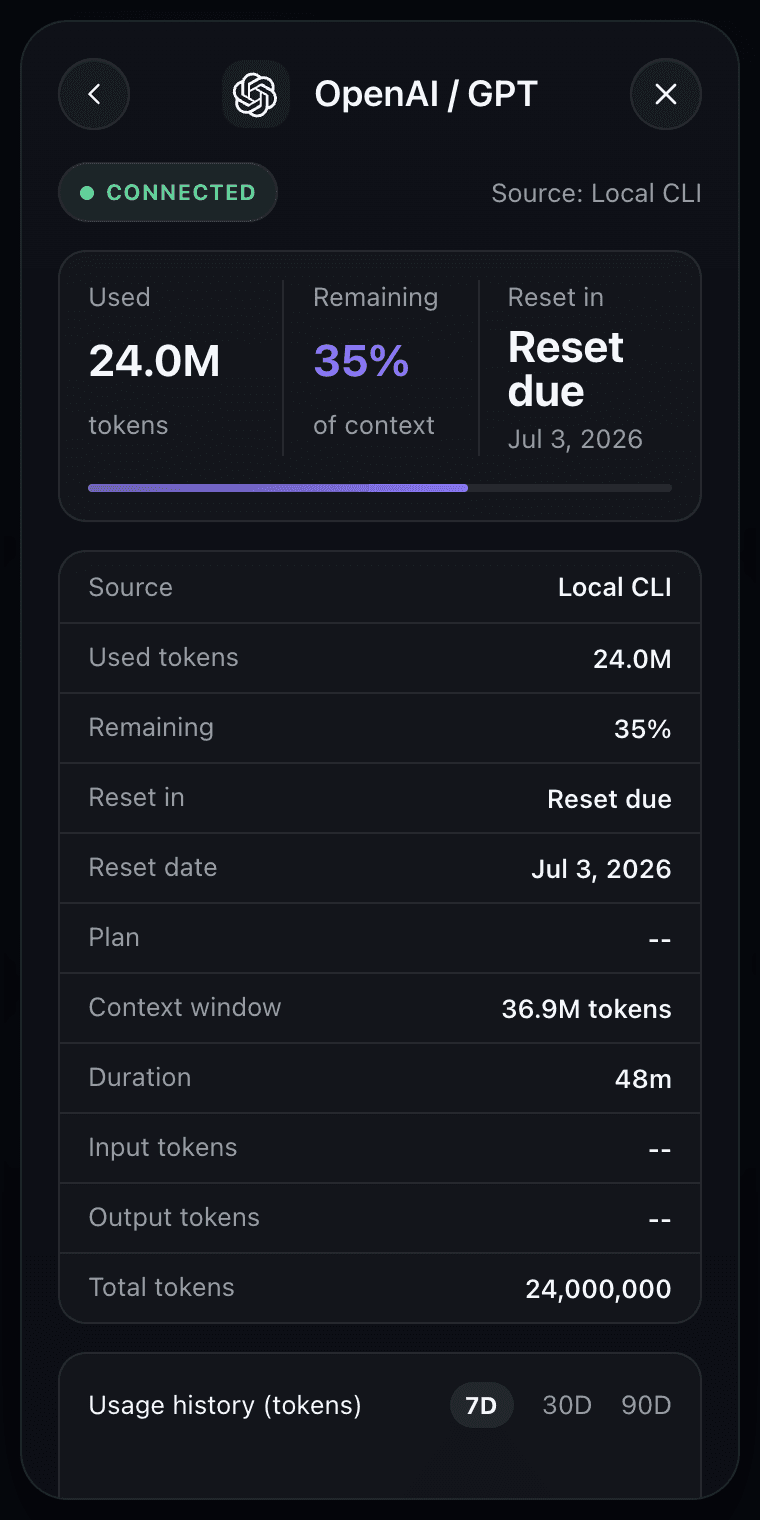
The interface is simple because the data work happens underneath it: provider-specific signals are parsed, normalized, stored locally, and then presented through one shared usage model.
The app reads local CLI and usage sources first. No account or cloud sync is required for the core experience.
Codex and Claude use one normalized structure so tokens, remaining allowance, and reset timing scan in the same way.
When automatic capture is unavailable, pasted /status and /usage output provides a transparent manual fallback.
Local tools do not always expose the same fields. Instead of hiding uncertainty, the product shows connection health and offers a manual paste route for Codex /status and Claude /usage output.
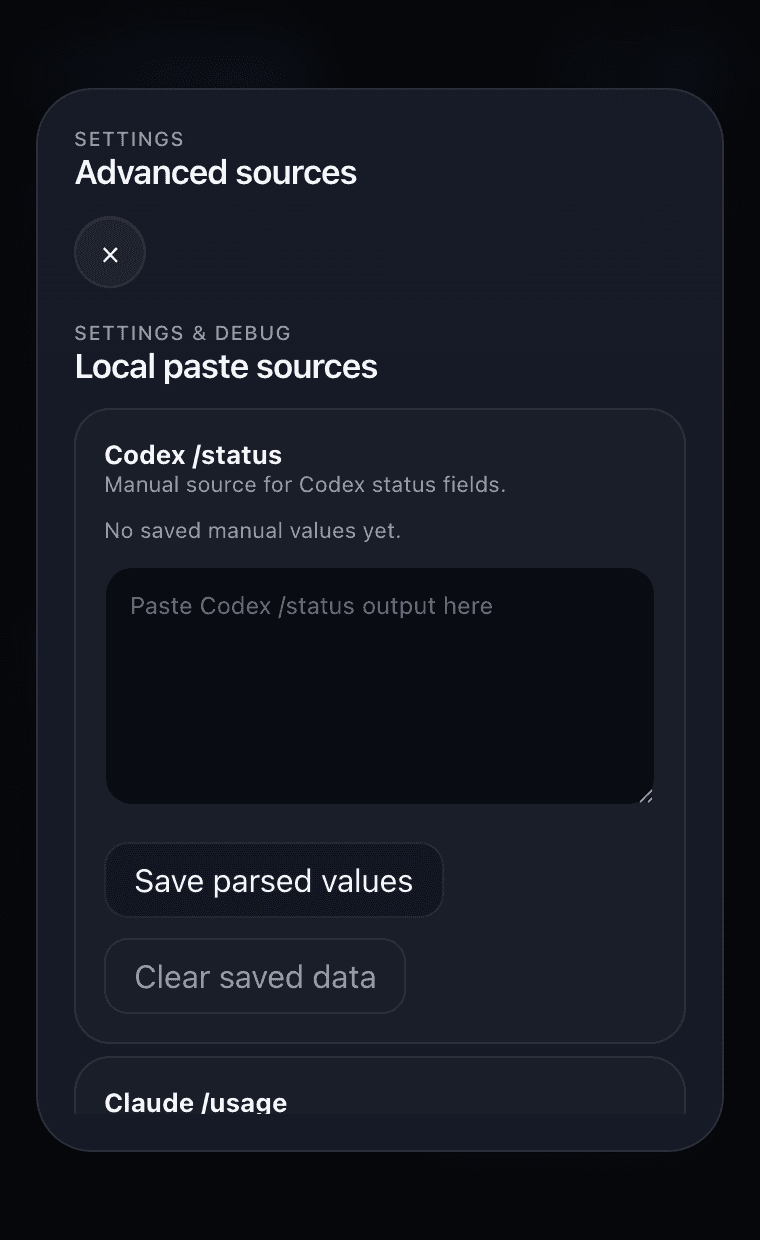
The hardest decision was making different provider limits comparable without hiding uncertainty. Showing the source and reset timing matters as much as showing the number.
The prototype supports two providers, a 60-second refresh, local history, and manual fallbacks. Next, I would test whether people can understand their remaining capacity in under two seconds before exploring trends or notifications.
This is a self-initiated working prototype. The case study describes implemented behavior and design intent; it does not claim public adoption or measured performance outcomes. Interface captures use the renderer’s local fallback sample values.
Continue exploringSelected work